
Q U A L I T Y • D U R A B I L I T Y • R E L I A B I L I T Y • V A L U E
DATA COMM
DESIGNED FOR VERSATILITY
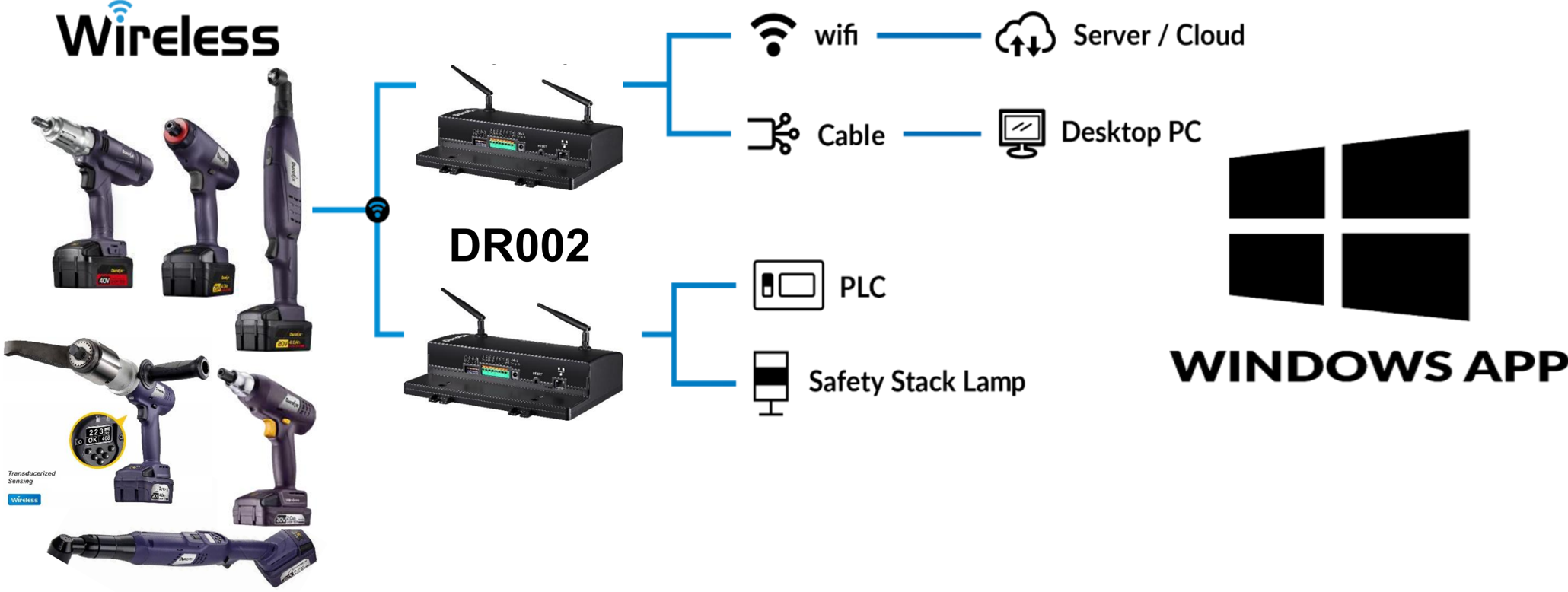
- Tune-up your torque settings (operation cycle & rotation, screw runtime) for more precise applications
- Memorize your own torque settings pattern
- Real-Time monitoring for up to 10 tools at jobsite
- Collect all fastening data in assembly process

Durofix App Feature: Tools setting

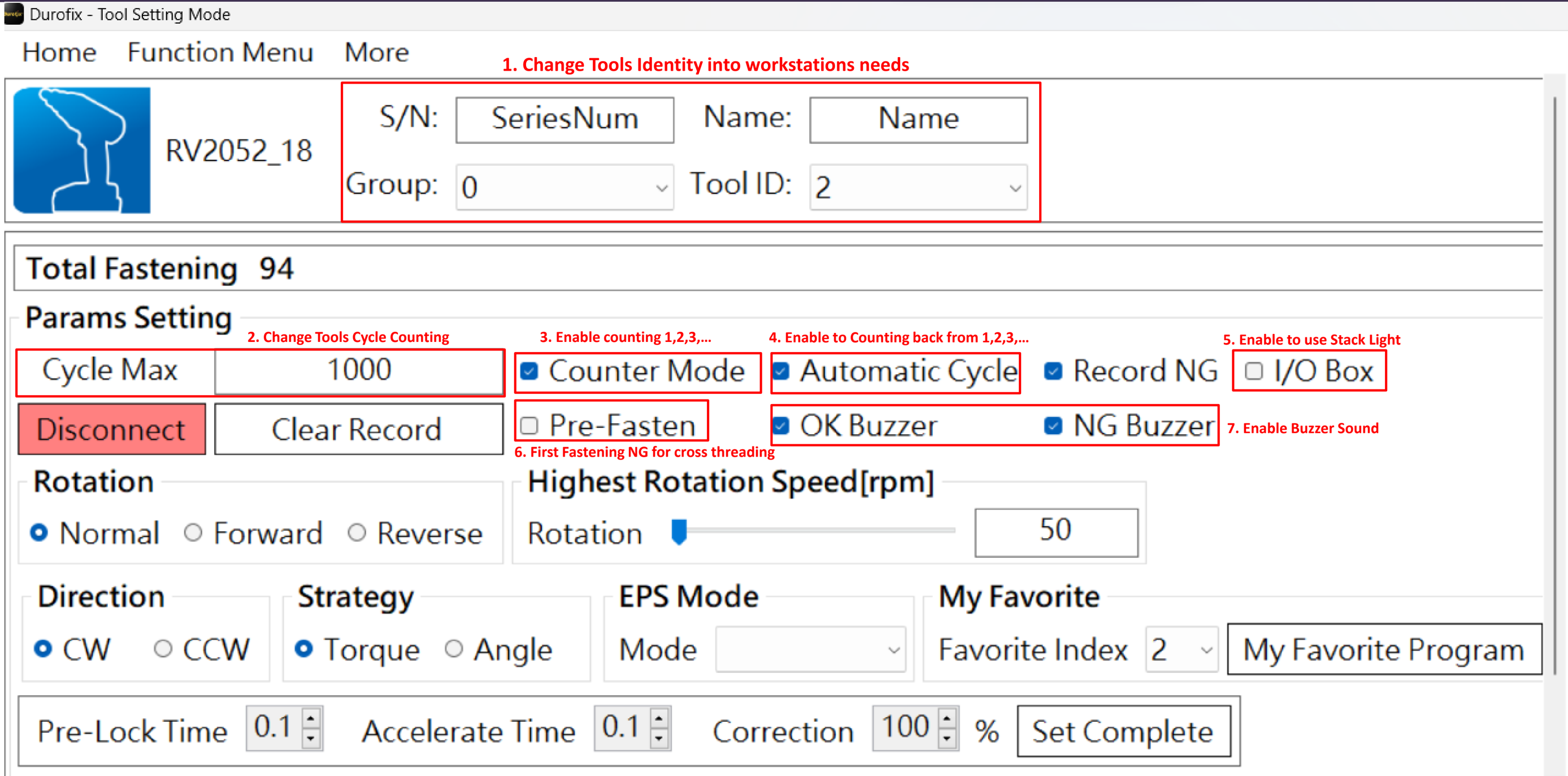
Durofix App Feature: Tools setting

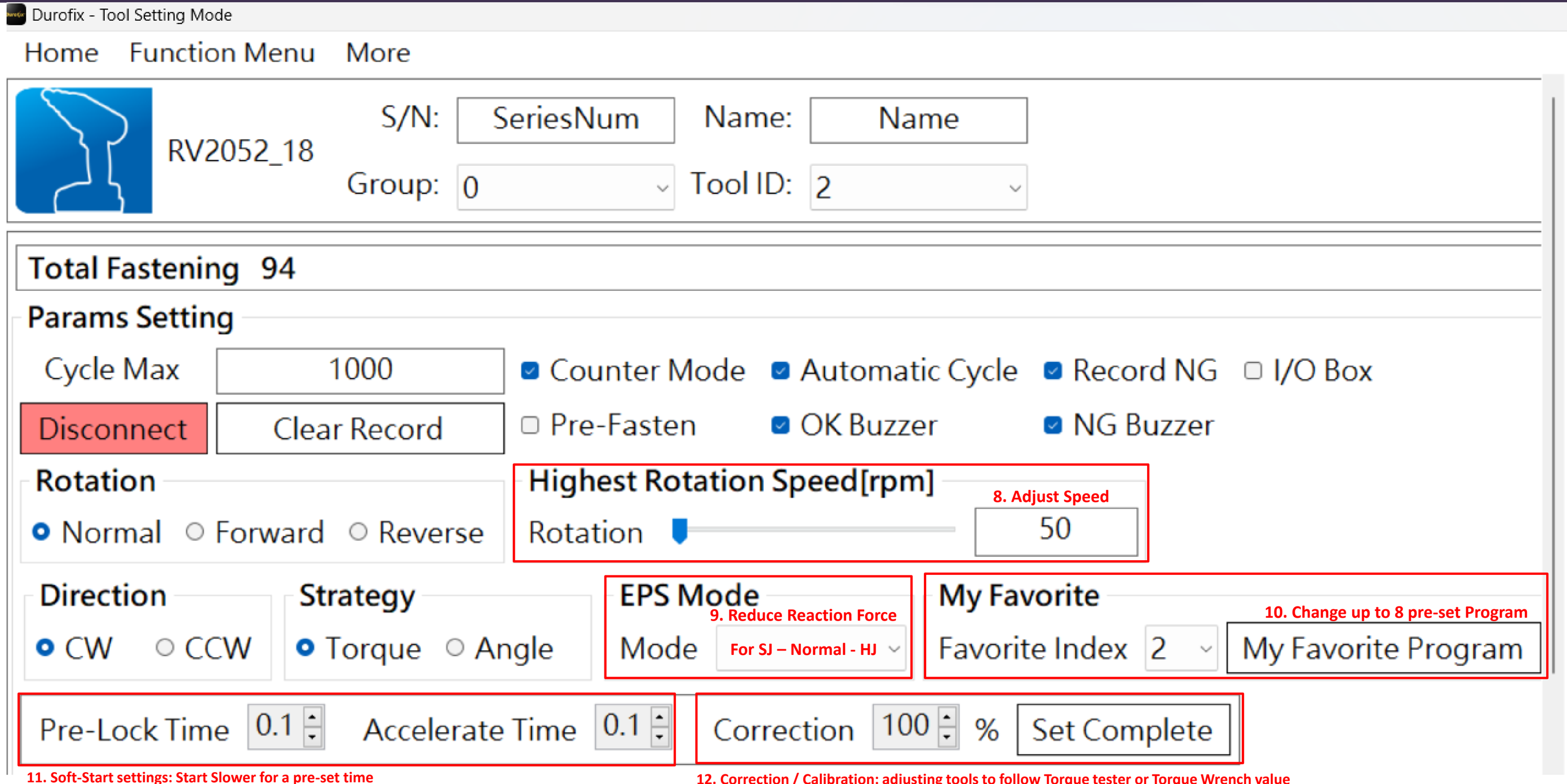
12. Correction / Calibration: adjusting tools to follow Torque tester or Torque Wrench value
Menu Screen Overview: My Favorite Program

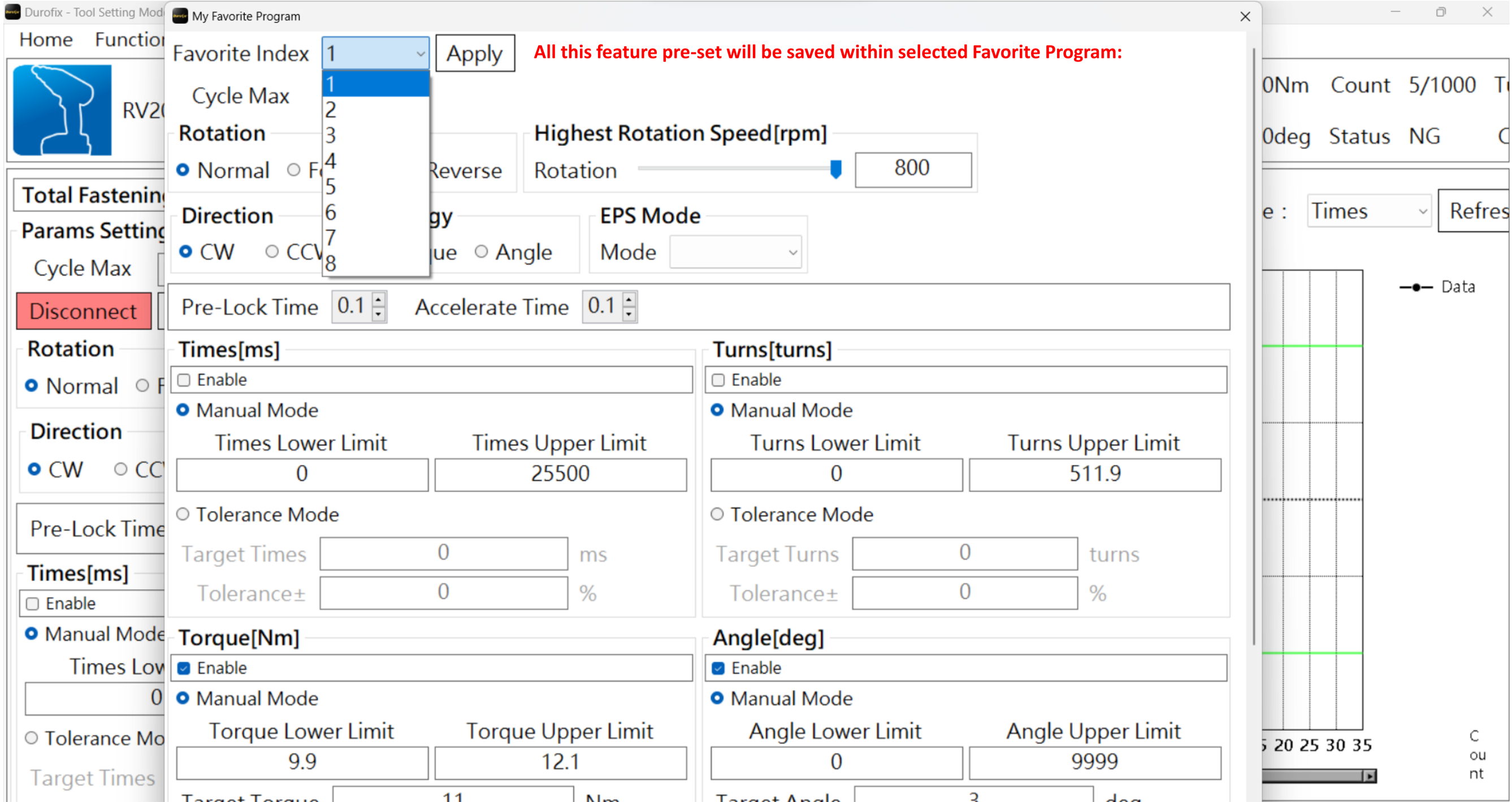
Durofix App Feature: Tightening Strategies

5. Multiple Speed / Shift Down Setting : When Torque reaching pre-set value, The Speed will Reduce to pre-set RPM *mainly for Plastic Joint Application*
Tightening Strategies:
- -Able to combine this 5 feature at the same time.
Tool Monitor Mode
DR002 able to connect up to 10 tools
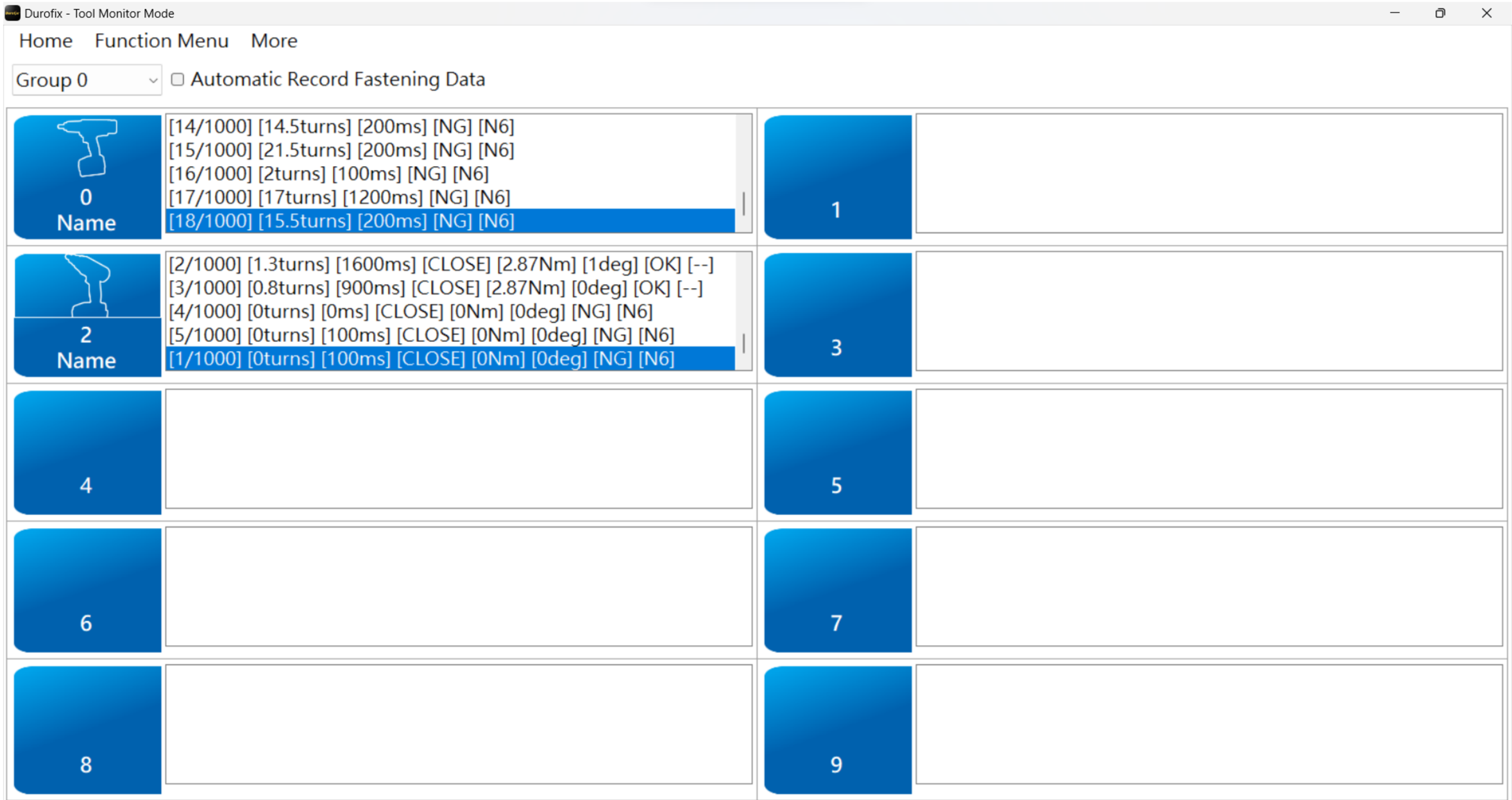

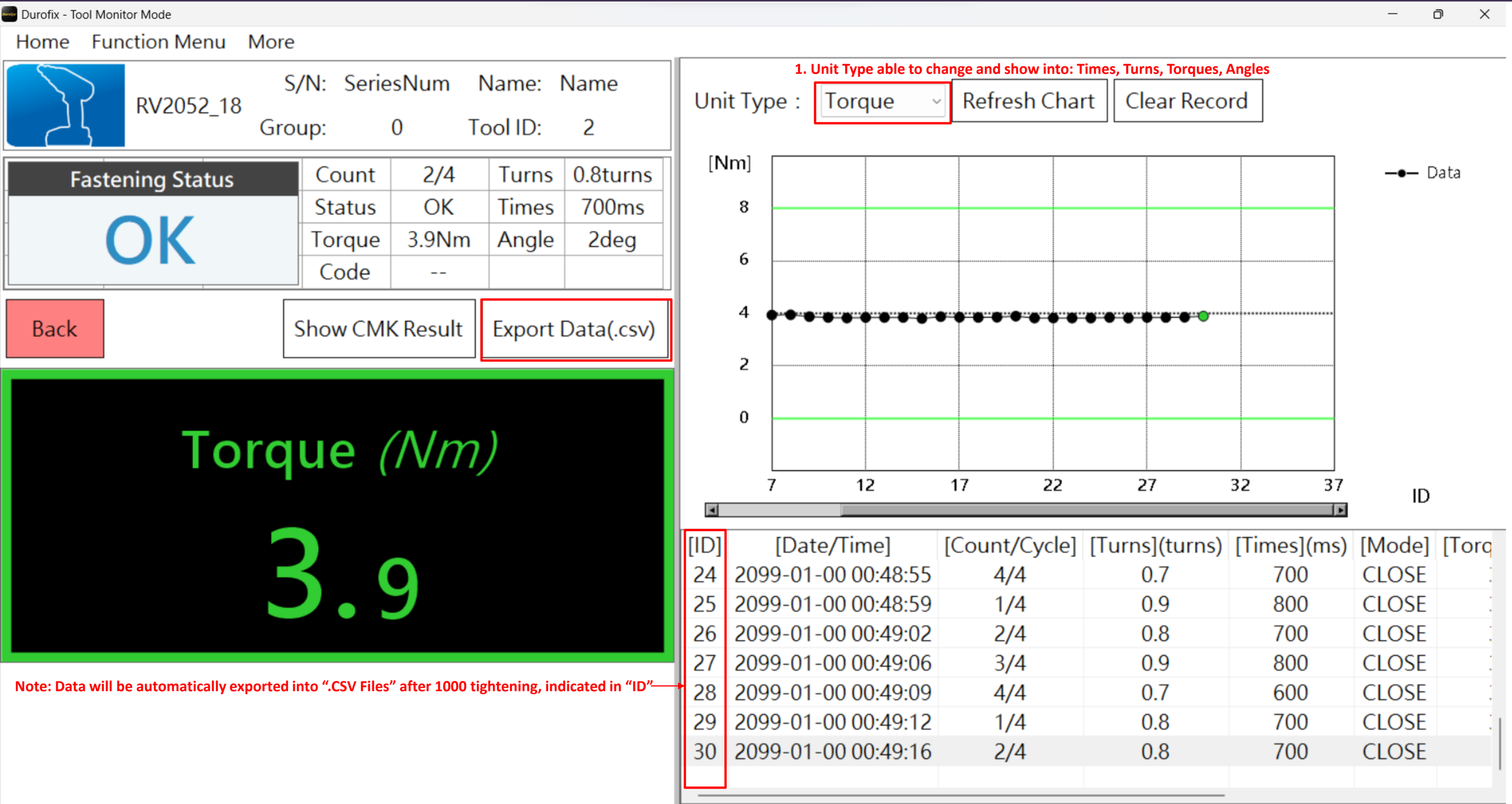
Tools Monitor Mode

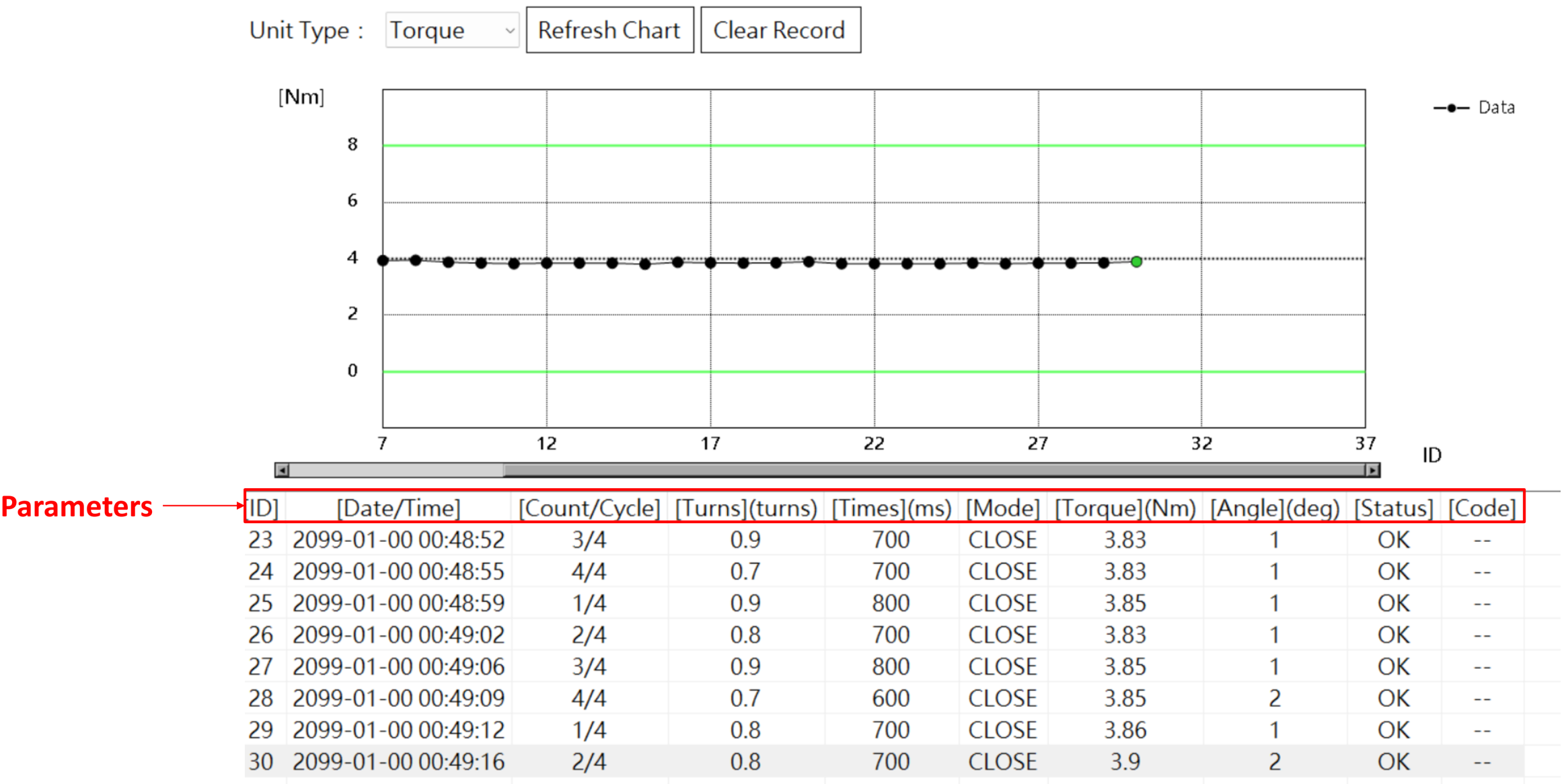
Durofix App Parameters

| Parameters |
|---|
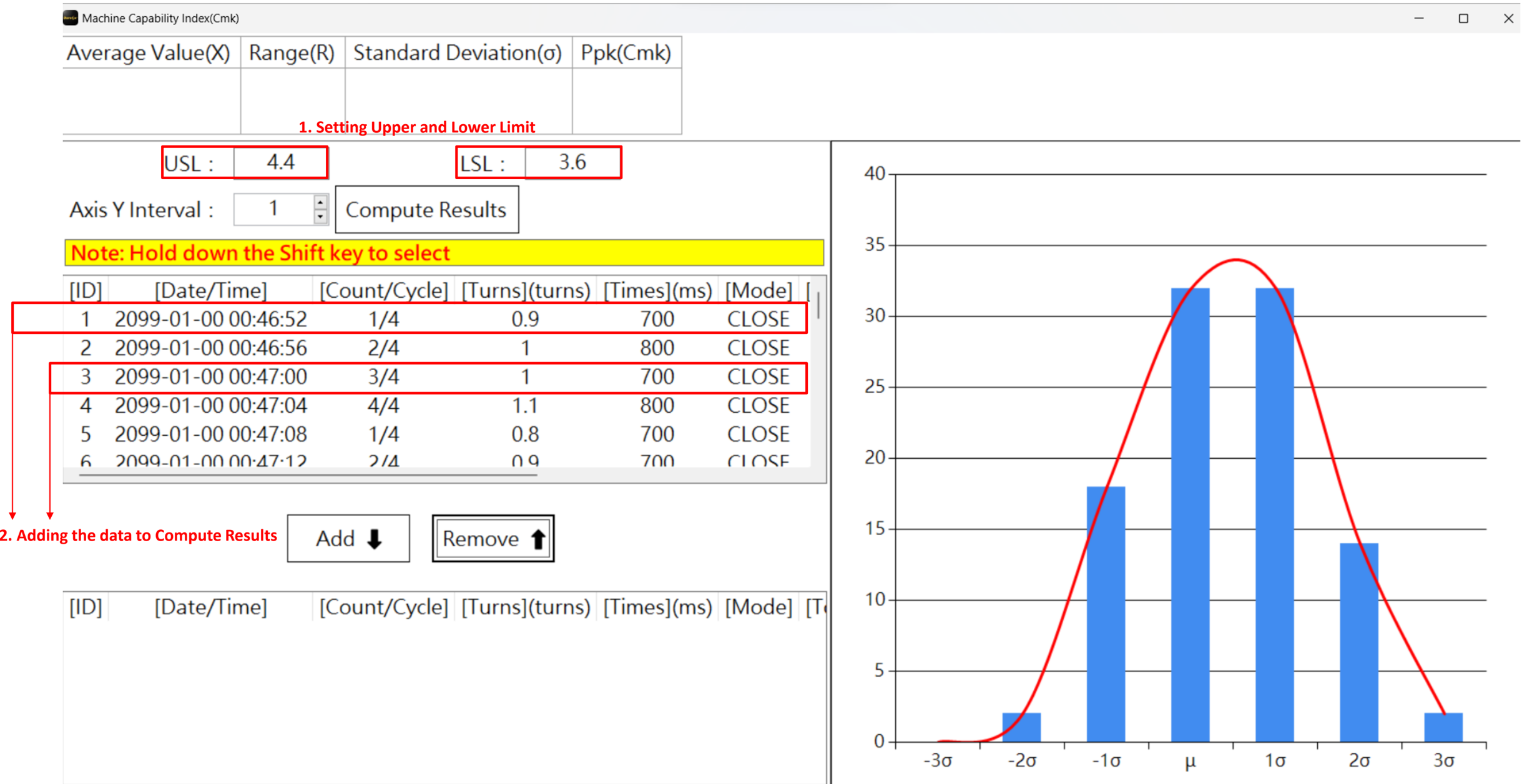
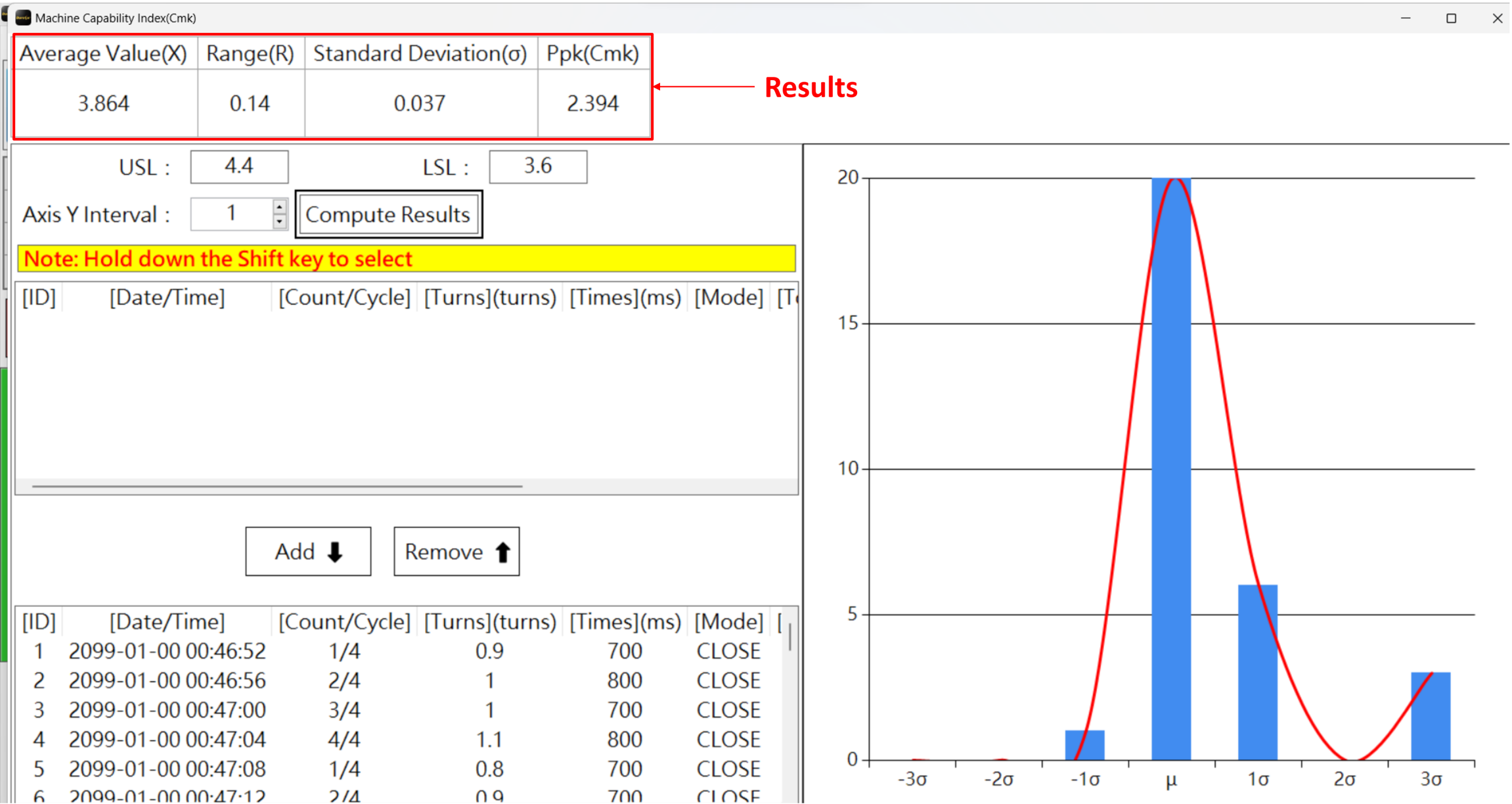
Computing CMK Results

Menu Screen Overview

Non-Transducer Parameters setting

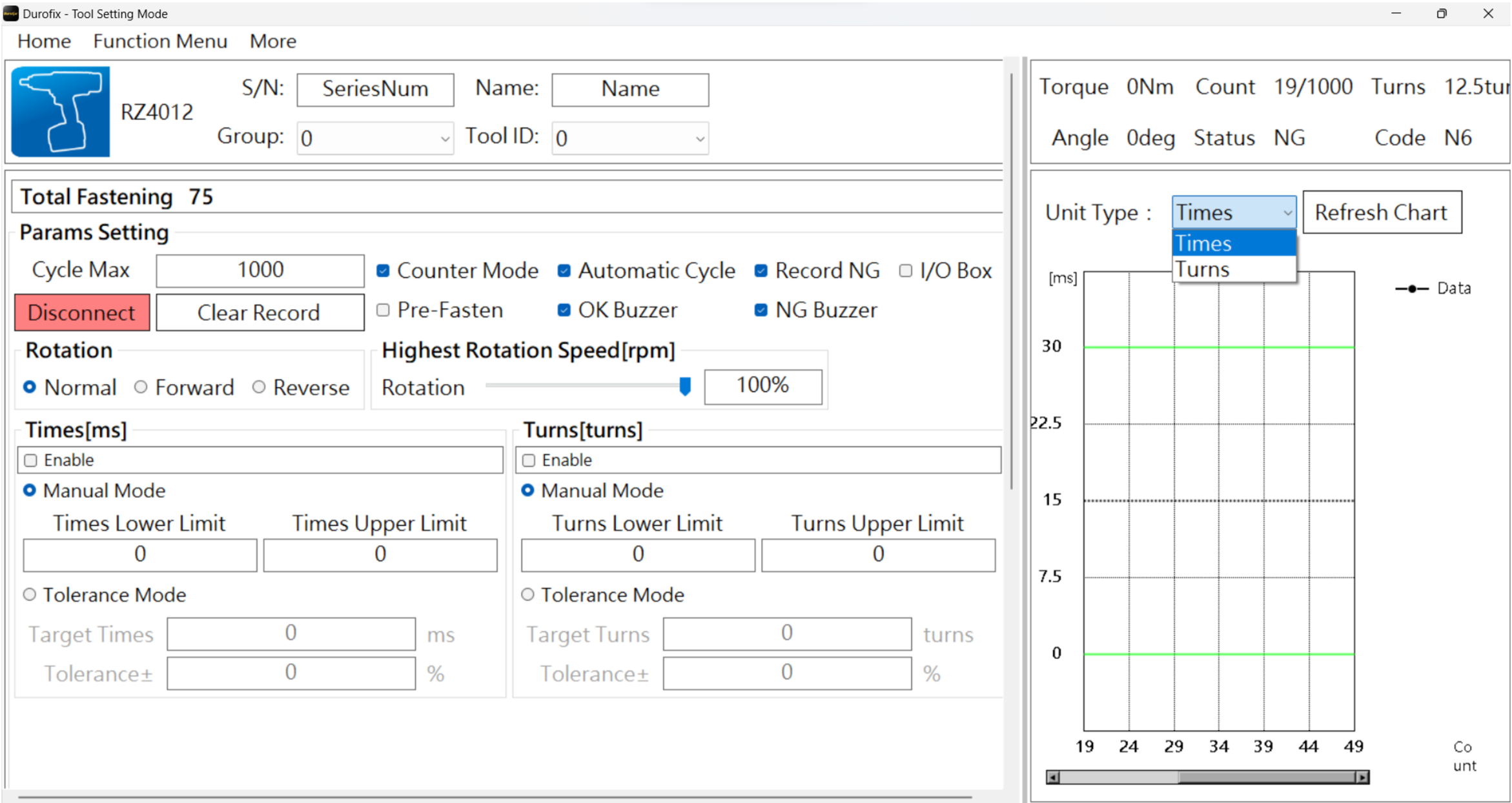
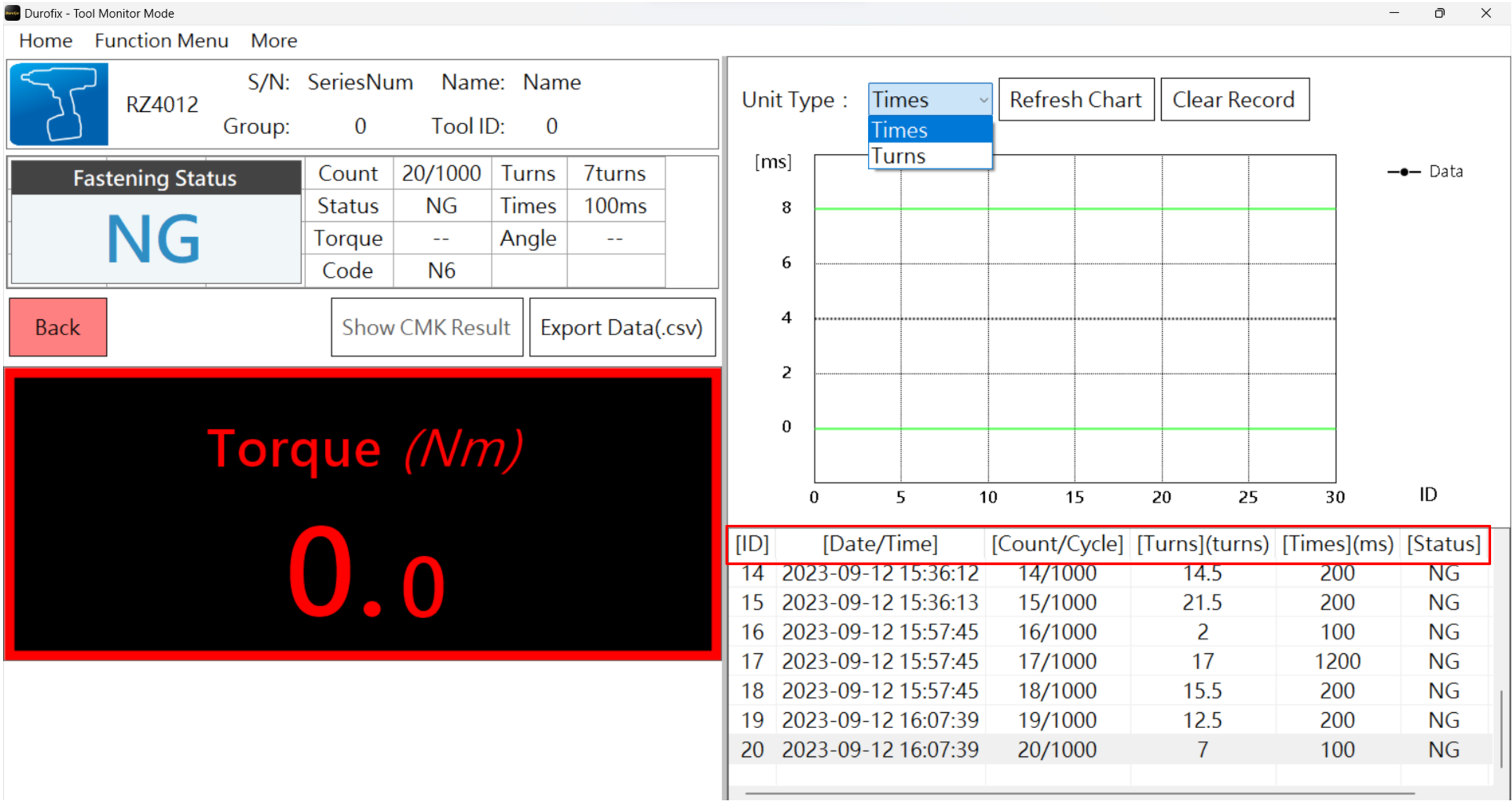
Note: Only 'OK/NG' data For RV2047, RV2048, RV2017/27/37, RZ4012, and RZ4014 since the tools does not have any transducer to sense torque and angle value.
Tools Monitor Mode

THANKYOU